


Franchise head offices
Share standards once and follow their implementation at each location. Your manual, training and rollouts connect head office with partners and their teams.
Connect your teams · Simplify daily work · Stay on top of every location
Rota and time tracking – right in the app.
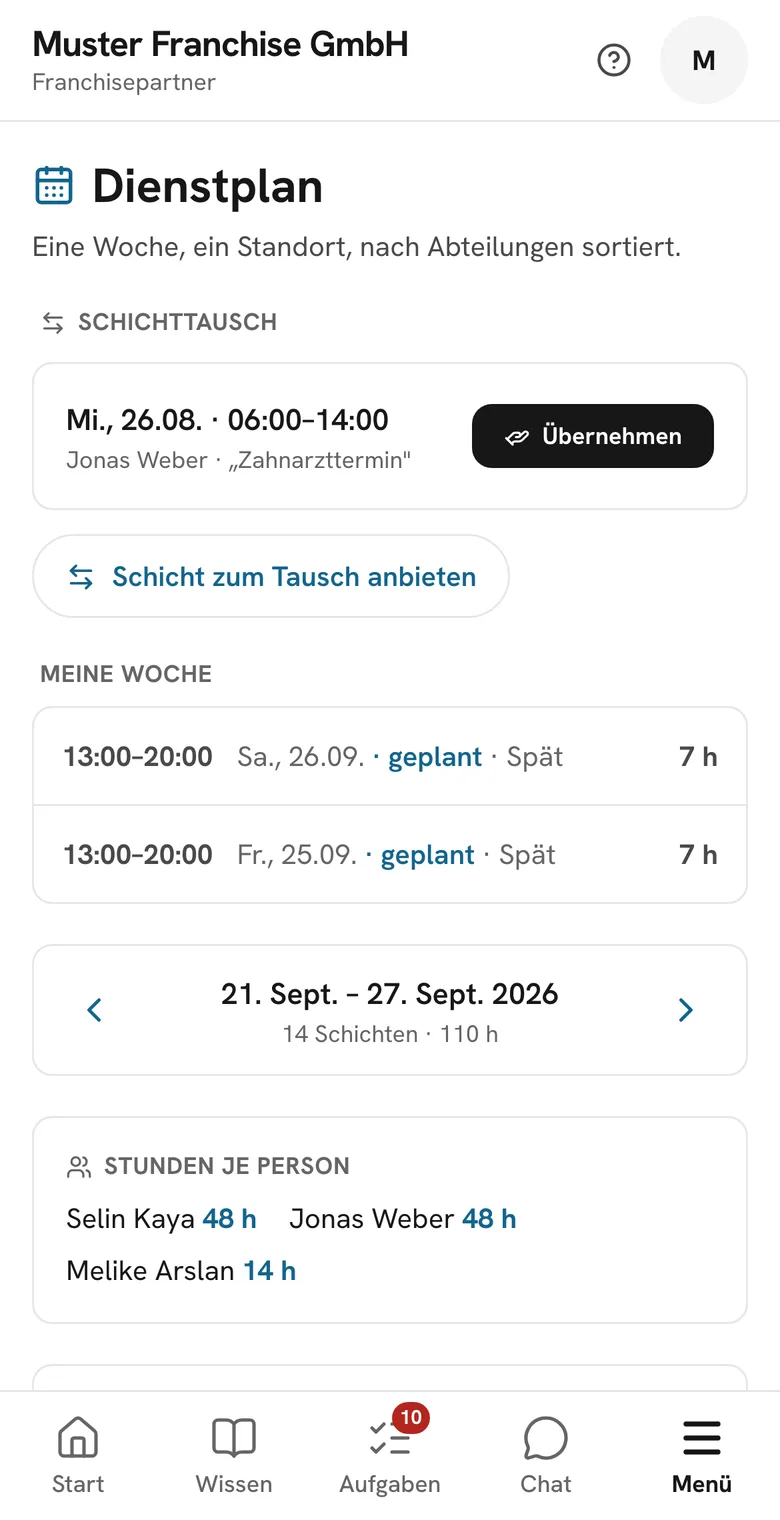
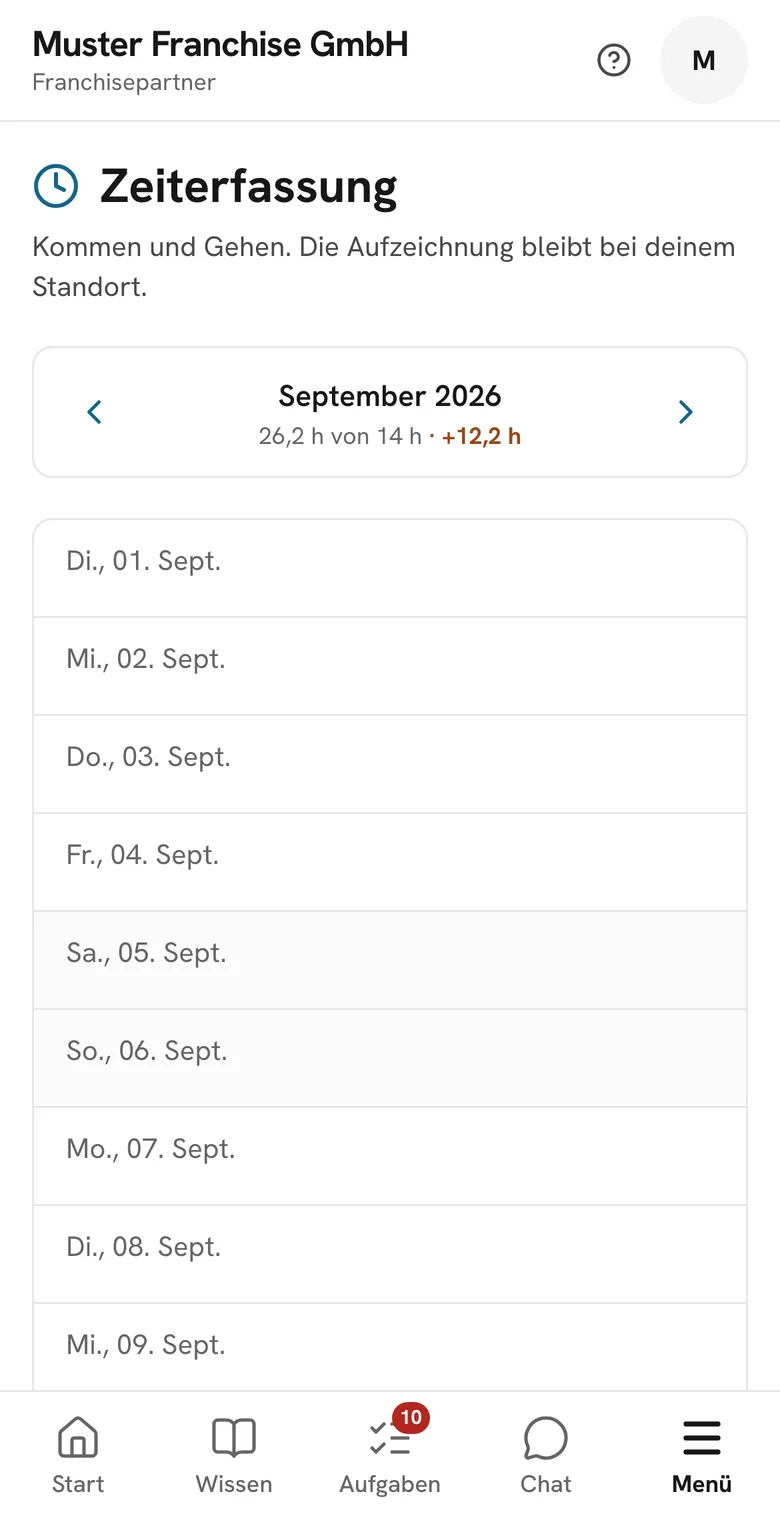
Actual screens from the Symiko demo system (German interface).
Rota, time tracking, hygiene, manual and chat in one app. Head office, partners and teams work from the same standards – at every location.
 MEET SYMIKOScan or request a demo here
Setting standards, running company-owned stores or managing several franchise locations? Symiko connects your workflows. Each role gets the views and access it needs.
Share standards once and follow their implementation at each location. Your manual, training and rollouts connect head office with partners and their teams.
Your own stores, shared routines. Teams plan shifts and record daily work locally. Head office keeps track of tasks and exceptions.
Manage your franchise locations through one login. Rotas, teams and records stay organised by location.
For example, café and restaurant groups, bakeries, quick-service restaurants and retail businesses with multiple locations. We’ll explore your workflows in the demo.
Explore the features for your day-to-day work. The app screens come from the Symiko demo system (German interface).
01 / Hygiene & records
Temperatures, cleaning, deliveries: the team records them on the device, with time and initials. The shift lead closes the day, head office sees deviations per location.
Included
Fridge, freezer, display, dishwasher: readings per time window; anything out of range becomes a deviation straight away.
Screen 1 of 2: Hygiene today
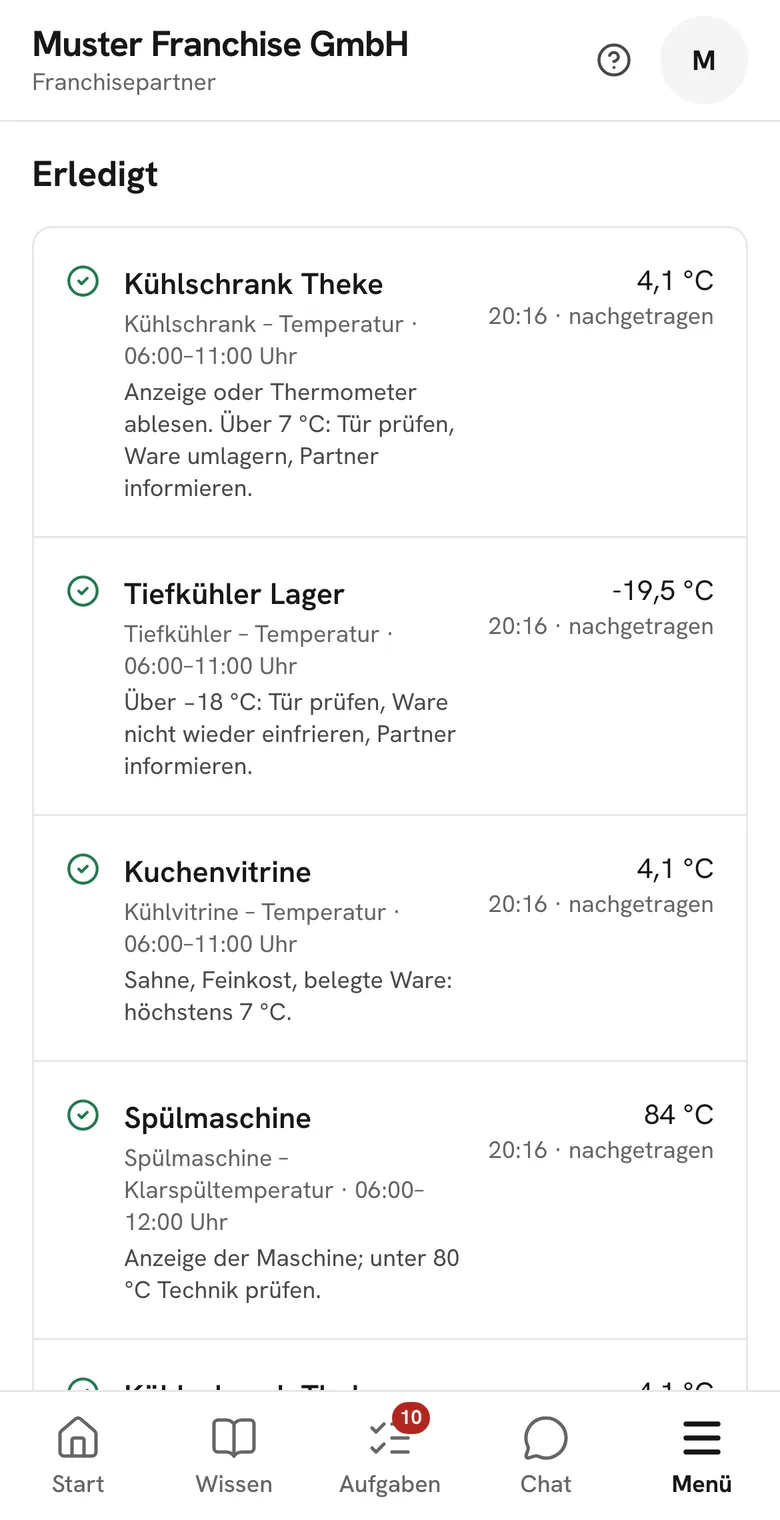
Hygiene todayCompleted checks with value and time.
02 / Team & time, people and payroll
Partners plan the week, the team swaps shifts and clocks in on their phones. At month-end, recorded hours are reviewed and approved. Only the respective employer sees personnel files and pay – in franchising that is the partner, not head office.
Included
Plan the week by department, prepare it as a draft, publish it, reuse templates, print it.
Screen 1 of 3: Rota
RotaShift swaps, my week, hours per person.
03 / Knowledge & communication
The manual sets the direction, the academy brings it to the team. Mandatory updates are confirmed instead of liked – head office sees the read status per location.
Included
Chapters with search, images and videos, versioned and printable; we import your existing content.
Screen 1 of 2: Manual
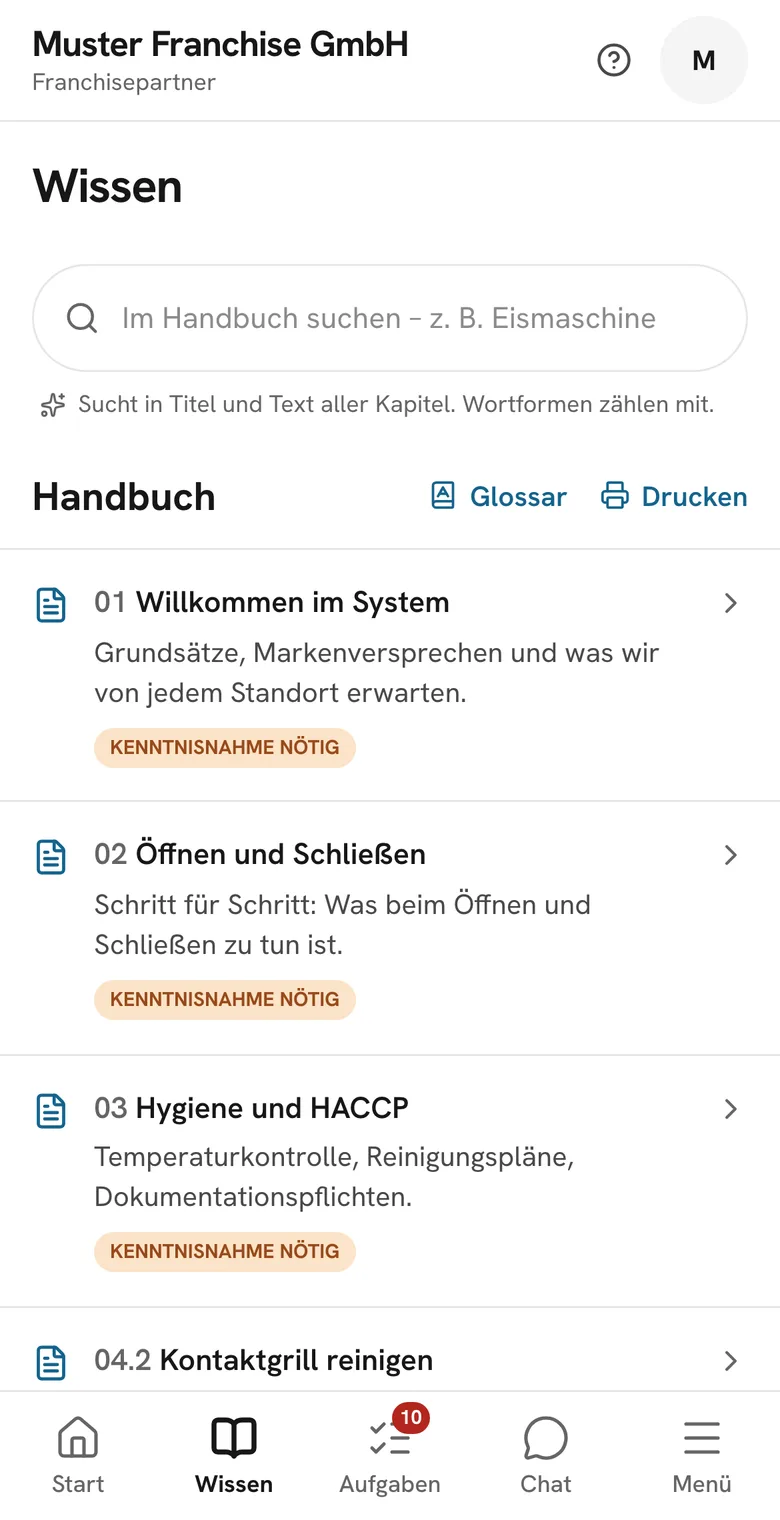
ManualSearchable, versioned, acknowledgement per chapter.
04 / Steering across all locations
Rollouts, tasks and store checks run across all locations. The early warning shows where things are slipping. On staff matters head office only sees numbers per location – no names, no files.
Included
What is about to slip: missing monthly P&L, unread chapters, expiring certificates, overdue steps.
Screen 1 of 3: Early warning
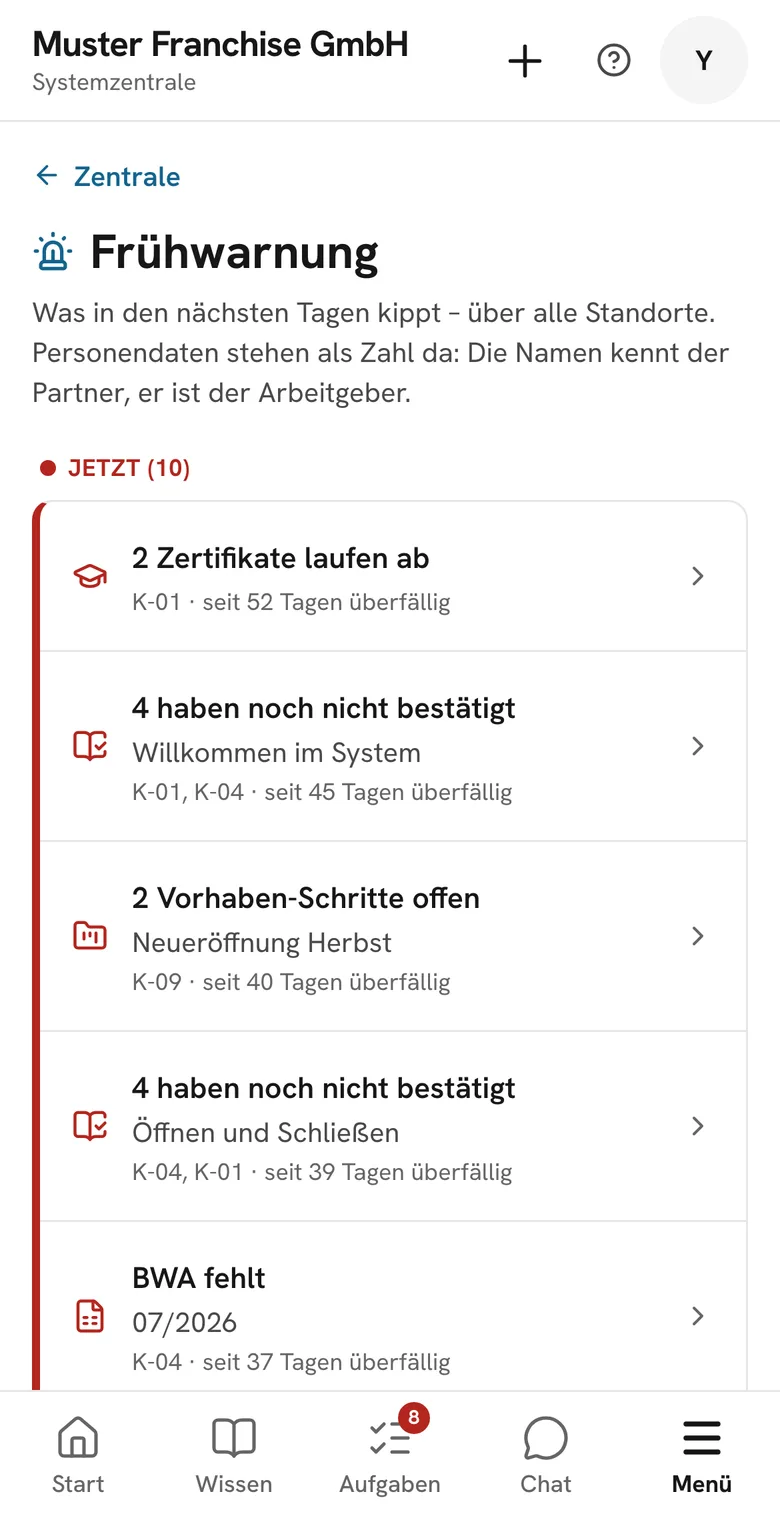
Early warningWhat is about to slip, across all locations.
Planning, knowledge and communication in one place. Which existing tools you replace depends on your workflows.
Rota app
– bring together in SymikoTime tracking
– bring together in SymikoWhatsApp groups
– bring together in SymikoHygiene app
– bring together in SymikoScreen software
– bring together in SymikoNewsletter tool
– bring together in SymikoManual wiki
– bring together in SymikoSpreadsheets
– bring together in Symiko
One invoice. Per location.
Billed per location, not per tool. All core modules are included in the location price.
Daily entries become an inspection report. Choose the period and prepare the records for the visit.
Every day
Temperatures, deliveries and cleaning are recorded on the device, with time and initials. The shift lead closes the day.
Unchangeable
No entry is ever overwritten. A correction is a new entry with a reason. Kept for ten years.
At the inspection
Inspection report as a PDF with checksum, or a link with QR code and access code, valid for 72 hours. The inspector needs neither an account nor the app.
Head office sees deviations per location, but no names.
Inspection report
ExampleSHA-256 · 9f3a…c21e
Link valid for 72 hours · six-digit code
Teams acknowledge important updates directly in the post. Each acknowledgement is recorded, and head office sees the read status per location.
Tap “Read & understood” in the preview.
Sample Franchise
Head officeSample Franchise
Head office · 2 hours ago
New cleaning rule for the ice cream machine
From this week, the ice cream machine is descaled on Thursdays instead of Mondays. Chapter 06 in the manual has been updated.
Deutz location
Partner spotlight · yesterday
First location with a complete hygiene certificate
The whole team passed the course including the final test. The certificates are in their profiles.
Read by all locations
You’re all caught up.
Frankfurt
Developed in Germany. Servers and documents are in the EU, not in the US.
Database
Permissions are enforced in the database, not just in the interface.
Separated
Every franchise system is its own tenant. No system can see another’s data – we test this automatically with every change.
Provable
Acknowledgement with version number and timestamp; hygiene entries in a verification chain, kept for ten years.
Symiko does a lot – you don't have to roll it all out at once. Start where it hurts most and expand step by step.
Billed per location and month, not per employee. We discuss the terms in the demo.
Half an hour on screen. You tell us where it hurts – we show it right in Symiko and decide together where you start.
We create locations, roles and logins. We bring over what you have: your manual from PDF or wiki, your staff from Personio or Excel. Nothing gets retyped.
Instead of rolling out everything at once, you pick one focus area – team & time or hygiene, for example.
Once the first focus is in place, you roll out the next modules. All core modules are included in the location price.
Pick a focus area – you roll out the others later.
“We built Symiko because we needed it ourselves.”
Yusuf Gökce, founder
Rotas sent as PDFs by email, no overview, instructions lost in the WhatsApp history, temperature logs only searched for when the inspector is already in the store. Symiko is the app we wished we’d had.
We’ll show you Symiko in half an hour, using a chapter from your manual if you like. Then you decide. No newsletter, no sharing of your data.
We take on new head offices in small groups so that setup goes smoothly. After the demo we give you a fixed start date.
Billing is per location and month, not per employee. A location with twelve part-timers costs no more than one with three. All core modules are included in the location price; you can add individual extra modules if you need them. We discuss the terms in the demo.
Not for long: Symiko can be cancelled monthly.
No. We import the content from PDFs, text files or your existing wiki and structure it into chapters. That is part of onboarding, and it is why the app looks like your system from day one.
Symiko brings together rota planning, time tracking, work chat, your manual and hygiene. In the demo, we review which existing tools it can replace and what you still need.
No, and that is deliberate. Accounts are only created through head office’s invitation link. The database rejects any sign-up without a valid invitation.
Servers and documents are in the EU, in Frankfurt, not in the US. Permissions are enforced in the database, not just in the interface.
Yes. Hours and payroll data export as a DATEV file, lists such as staff, hygiene overview or expenses as CSV, inspection reports as PDF. Everyone can download their own data at any time.


